Seagate 1TB External Hard Drive Explained: A UK Buyer's Guide
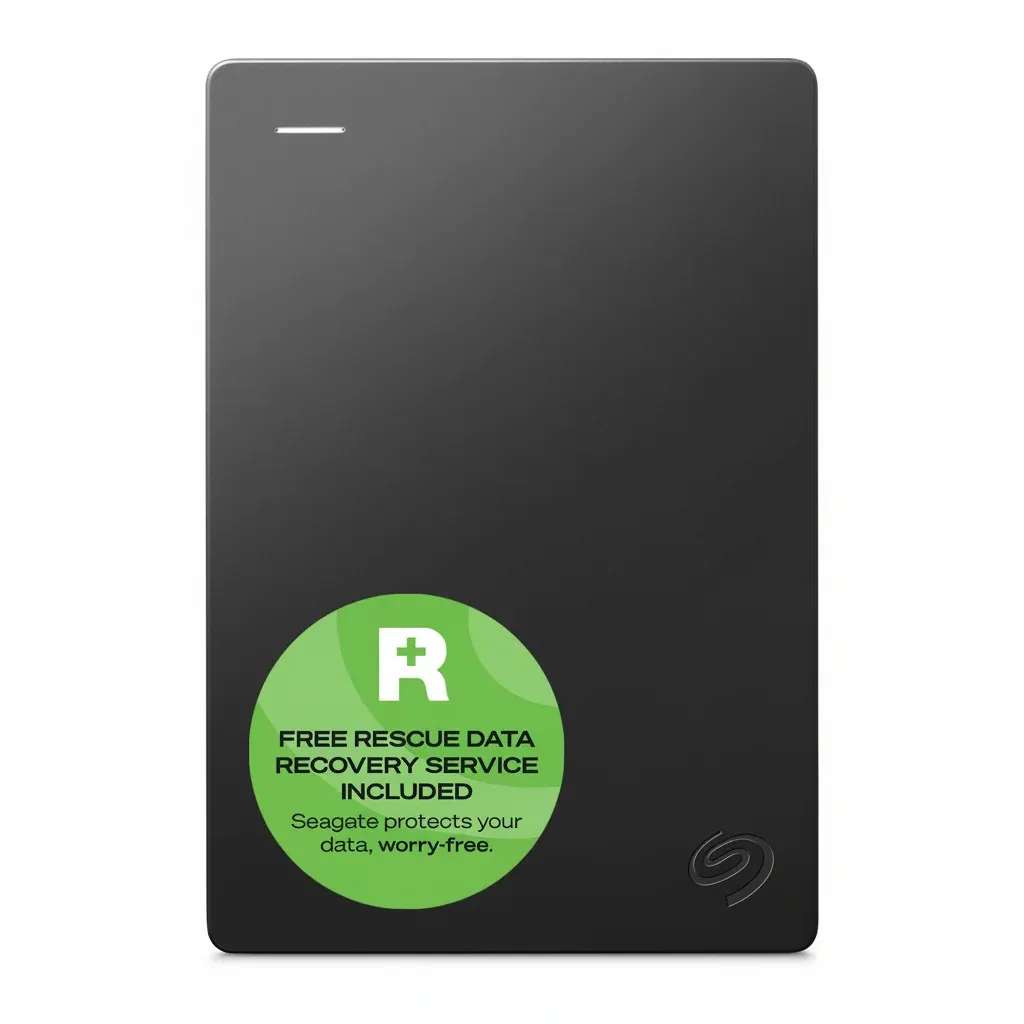
Short answer: a Seagate 1TB external hard drive is a solid, affordable first backup drive for coursework and everyday files — the Expansion range keeps it simple, while One Touch adds password protection and backup software. For a laptop stuffed with a whole degree's worth of work, though, 1TB fills up fast, so it is worth checking whether 2TB is the smarter buy.
If your coursework files, films and design assets are steadily filling your laptop, a cheap, well-known drive like a Seagate 1TB is often the first thing UK students look at. This guide explains the ranges, the real usable capacity, and the HDD-versus-SSD question, so you buy once rather than twice before a dissertation deadline.
Seagate 1TB external hard drive: the quick verdict
- Seagate's 1TB portable HDDs come mainly as the Expansion (plain drag-and-drop) and One Touch (adds password protection and backup software) ranges.
- Both are bus-powered 2.5-inch mechanical drives over USB 3.0, so there is no plug needed — handy for backing up in the library.
- 1TB is fine for documents and a moderate photo library; if your laptop is already full, 2TB usually saves a second purchase within the year.
- A hard drive has moving parts, so it is more fragile in a bag than an SSD — handle it gently and keep a second copy.
What is a Seagate 1TB external hard drive?
It is a small, bus-powered mechanical hard drive that adds a terabyte of storage over a single USB cable. There is nothing to install: plug it in, drag your files across, and eject safely. That plug-and-play simplicity is exactly what you want the week a laptop starts warning it is nearly full.
For a student whose coursework files, films and design assets are crowding the internal drive, a 1TB portable is an easy, affordable way to move the bulk off the laptop and free it up before term gets busy.
Which Seagate 1TB range should you choose?
Seagate Expansion
The Expansion is the no-frills option: connect the supplied cable and drag files across. It transmits at up to around 120 MB/s over USB 3.0 and includes Seagate's Rescue Data Recovery Services, but leaves software and encryption to you.
Seagate One Touch
The One Touch adds password-activated hardware encryption and bundled backup software for scheduled copies. If you want a private, automated routine rather than manual drag-and-drop, it is the more student-proof choice for sensitive research.
How much can a 1TB drive actually hold?
Usable space is always a little below the headline figure once the drive is formatted. As a rough guide, 1TB comfortably holds tens of thousands of phone photos or hundreds of hours of 1080p video — plenty for documents and a modest media collection, but tighter if you keep raw design exports, screen recordings and a film library alongside your studies.
A recurring worry among students is losing months of work when a laptop dies the week before submission. One drive is a good start, but a single copy is still a single point of failure — see our guide on backing up files and photos for the simple 3-2-1 routine.
Is a Seagate 1TB HDD better than an external SSD?
It depends on what you are protecting. A hard drive gives you the most gigabytes per pound, which suits archiving coursework and media. A portable SSD is faster and far more shock-resistant — useful if the drive lives in a rucksack and gets knocked between the library, halls and home. The trade-off is price: SSDs cost noticeably more per terabyte.
If you edit large video or want something rugged for daily travel, weigh up the speed difference in our 2TB external SSD guide. For most written work and backups, a hard drive's capacity wins on a student budget.
Mac and PC compatibility checklist
Seagate drives usually arrive formatted for Windows. macOS can read that format but not reliably write to it, so if you switch between a MacBook at home and Windows machines in a computer room, reformat to exFAT for full read and write on both. For the step-by-step on formats, read our Mac and Windows formatting guide. Always copy anything off the drive before reformatting, because it erases the contents.
How the BackupDrive 2TB compares for uni work
If 1TB looks tight for a whole degree, the BackupDrive 2TB Portable External Hard Drive doubles the room for the same everyday job. It is a bus-powered 2.5-inch drive over USB 3.0 Micro-B (up to 120 MB/s), works with Windows 10/11 and macOS 10.12 and later, weighs just 168 g so it fits in your bag, and includes data rescue support plus a 12-month UK warranty. It is £96.26 inc. VAT with free UK delivery and 30-day returns, and is rated 4.7 out of 5 from 320 reviews.
Room for a whole degree, not just one module
View the BackupDrive 2TB — £96.26Frequently asked questions
Is a Seagate 1TB external hard drive enough for uni work?
For documents, notes and a moderate photo library, 1TB is usually enough. If your laptop is already full of coursework, films and design files, 2TB often saves you buying a second drive within the year, so check your current usage and add some headroom.
What is the difference between the Seagate Expansion and One Touch?
The Expansion is a plain drag-and-drop drive, while the One Touch adds password-activated encryption and backup software for scheduled copies. Both are bus-powered USB 3.0 hard drives that include Seagate's Rescue Data Recovery Services.
Is a 1TB hard drive or an SSD better for a student?
A hard drive gives more storage per pound and suits archiving coursework and media. A portable SSD is faster and more shock-resistant for a drive that lives in a bag, but costs more per terabyte. On a student budget, capacity usually wins unless you edit large video.
Do I need to reformat a Seagate drive for Mac and Windows?
Seagate drives usually ship formatted for Windows, which macOS can read but not reliably write to. If you move between Mac and Windows, reformat to exFAT for full read and write on both, and copy anything off the drive first because reformatting erases it.